


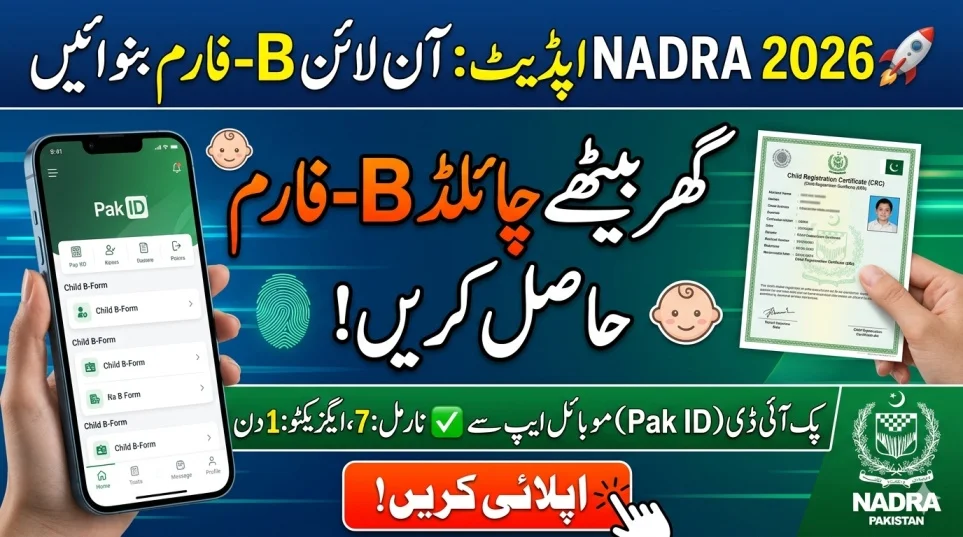
Applying for a Child B Form online in Pakistan (CRC) has become simple and fast in 2026. With NADRA Pakistan introducing advanced digital services, parents can now register their child’s Child Registration Certificate (CRC) using the Pak ID Mobile App without visiting NADRA offices.
This guide explains how to apply for Child B Form online in Pakistan, required documents, fees, step-by-step process, and latest updates for 2026.
What is a Child B Form (CRC) in Pakistan?
The Child Registration Certificate (CRC), commonly known as the B Form, is a child’s first legal identity document in Pakistan. It is issued by NADRA Pakistan and is essential for:
- School admission
- Passport application
- Government services
- Legal identity verification
Why Applying for Child B Form Online is Important
Understanding how to apply for Child B Form online Pakistan is crucial for every parent:
- ✅ Legal Identity: Recognizes your child as a Pakistani citizen
- ✅ Education Requirement: Mandatory for school enrollment
- ✅ Passport Eligibility: Required for international travel
- ✅ Convenience: No long queues at NADRA offices
Required Documents for Child B Form Online Application
Before starting your application on the Pak ID Mobile App, prepare these documents:
- Birth Certificate (Union Council issued)
- Parents’ CNICs (valid and not expired)
- Child Photograph (clear, recent, white background)
- Biometric Verification (parent fingerprints via mobile)
Having accurate documents ensures faster approval.
Step-by-Step Guide: How to Apply for Child B Form Online Pakistan
Follow these simple steps to complete your application:
- Download the Pak ID Mobile App (Android/iOS)
- Create an account or log in
- Go to “Family Registration” section
- Select “CRC (B Form)”
- Choose applicant type (Myself / Blood Relative)
- Enter child’s correct details
- Capture child photo using your phone
- Complete parent biometric verification
- Upload required documents
- Pay fee via debit/credit card
- Submit application
NADRA B Form Fee Structure 2026
| Processing Type | Fee (PKR) | Time | Delivery |
|---|---|---|---|
| Normal | Rs. 50 | 7 Days | Digital PDF |
| Executive | Rs. 500 | 1 Day | Digital PDF |
Key Features:
- ✔ Secure online payment
- ✔ Track application status live
- ✔ Download CRC from ID Vault
- ✔ Available worldwide (for overseas Pakistanis)
Common Mistakes to Avoid
To avoid delays or rejection:
- ❌ Uploading blurry photos
- ❌ Using expired CNIC
- ❌ Entering incorrect child details
- ❌ Selecting wrong category
Always double-check your information before submission.
NADRA Helpline & Support
If you face issues during application:
- 📞 Pakistan: 111-786-100
- 🌍 Overseas: +92 51 111 786 100
Support is available for app issues, payments, and verification.
Latest Update for 2026
In 2026, NADRA Pakistan upgraded its digital system:
- ⚡ Executive CRC delivered within 24 hours
- 📱 Fully digital process (no physical visits required)
- 🌍 Global access for overseas Pakistanis
- 🔒 Improved security & verification
Conclusion
Learning how to apply for Child B Form online Pakistan (2026) makes life easier for parents. With the Pak ID Mobile App, you can complete the entire process from home.
By preparing documents, following the correct steps, and avoiding common mistakes, you can get your child’s CRC quickly and hassle-free.
FAQs
What is the official app for B Form online application?
The official app is the Pak ID Mobile App.
What is the fee for Child B Form in Pakistan?
- Normal: Rs. 50
- Executive: Rs. 500
Can overseas Pakistanis apply online?
Yes, the app works globally with document upload and biometric verification.
How long does it take to get CRC?
- Executive: 1 working day
- Normal: 7 working days